Milanote alternative for wedding planners
Comparison · prices checked 3 October 2026
Milanote is a good mood board tool. Planners who outgrow it usually hit one of three walls: the 100-item free plan, boards that live in someone else's cloud, or 400 venue photos with no way to find the one they need. Here is how six tools compare for that job, including where Field Notes is the wrong pick.
Key takeaways
Keep your CRM. None of these tools replace HoneyBook, Aisle Planner or Dubsado for contracts and invoices.
Choose Milanote if you need the couple to comment on a live board, on any computer.
Choose Field Notes if you work on Windows, keep hundreds of venue and vendor photos, and want to find them by describing them, with the files on your own PC.
Keep Canva for the final client deck. Keep Pinterest for discovery.
Prices and where your files live
Prices are from each company's own pricing page on 3 October 2026, in US dollars, before tax. They change; check before you buy.
Tool | What planners use it for | Price | Where your files live |
|---|---|---|---|
Field Notes | Visual boards for each wedding: photos, screenshots, web clips, PDFs, notes | Free during the beta. One-time license after launch; price not set yet. | Files on your PC (Windows) |
Milanote | Mood boards, notes and to-do lists, online | Free up to 100 notes, images or links. Pro $9.99/month billed yearly, or $12.50 monthly. | Milanote's cloud |
Finding ideas and collecting the couple's picks | Free | Pinterest's cloud; boards are public unless made secret | |
Canva | The polished design deck you present to the couple | Free. Pro US$144/year for one person. Business US$250/year per person. | Canva's cloud |
Aisle Planner | Wedding planning hub: timelines, checklists, guests, design studio | $49 to $229/month, by number of active projects. 30-day trial. | Aisle Planner's cloud |
PureRef | A loose reference-image board on the desktop | Commercial single-user license, $49 one-time | Files on your computer (Windows, Mac, Linux) |
Which one fits
Milanote is the better pick when
The couple, your assistant and the florist all need to open and comment on the same board.
You plan on a Mac, an iPad or someone else's computer.
Each wedding fits in a tidy board you arrange by hand, and you know where everything is.
Field Notes is the better pick when
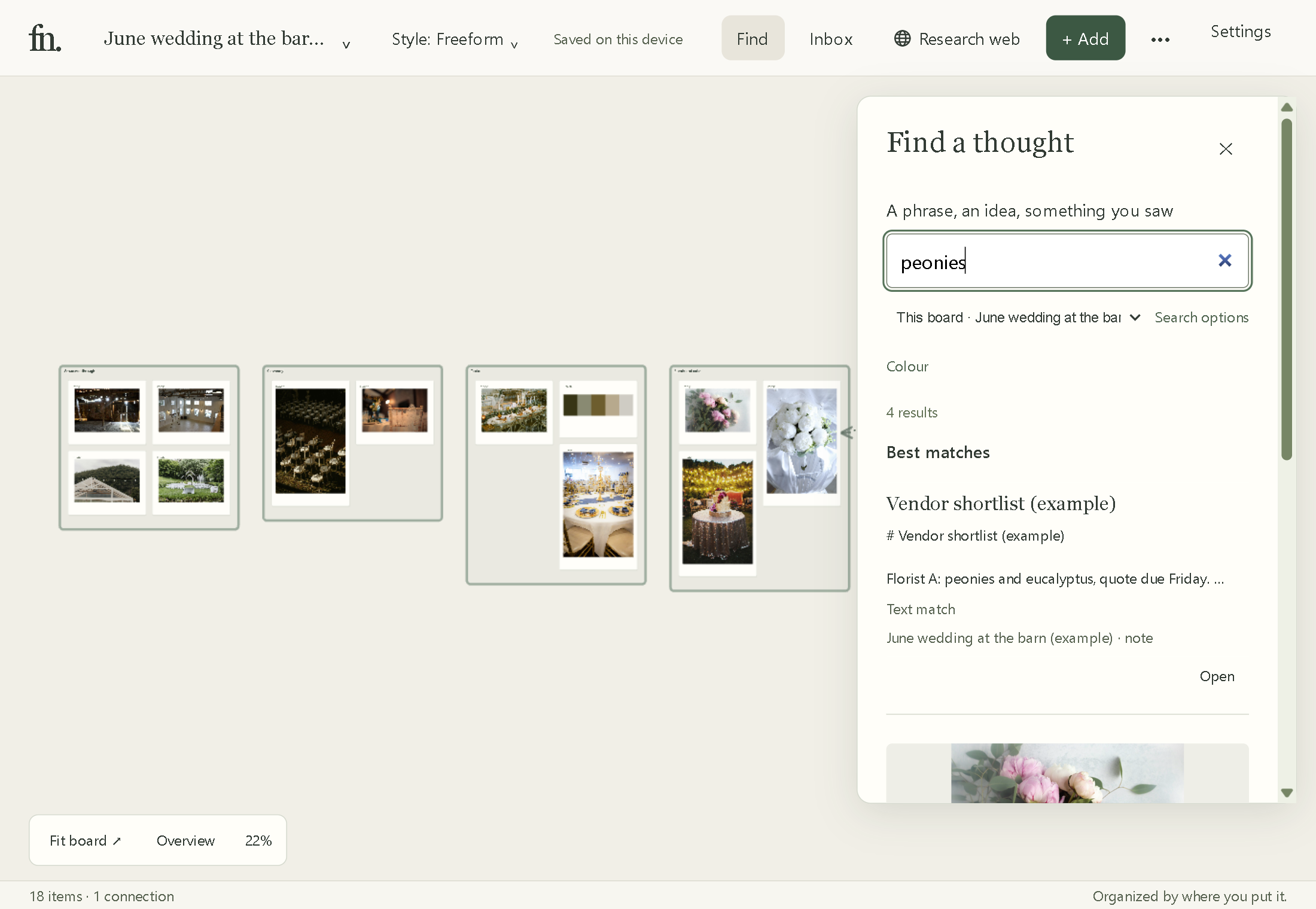
You keep every walkthrough photo and rental screenshot, and need the right one months later. Type "peonies" or "barn" and it comes up.
You'd rather the client's photos and contracts stay on your PC than in another account.
You work at venues with poor signal. Boards open from your disk without the internet.
You want to pay once. Field Notes will be a one-time license, with no monthly AI limits.
Where Field Notes falls short today
Windows only. There is no Mac, iPhone or web version.
No live link for the couple. Send a PDF or PNG contact sheet instead.
No contracts, invoices, guest lists or seating charts. Pair it with your CRM.
It is in beta. Expect rough edges and tell us about them.
Questions planners ask
Can I move my Milanote boards into Field Notes?
Export the images and notes from Milanote, then drag the files onto a Field Notes board. Layout and comments don't carry over.
Does Field Notes replace Aisle Planner or HoneyBook?
No. It holds the pictures and notes for each wedding. Keep your planning software for contracts, invoices, timelines and guest lists.
How does search work without tags?
Field Notes reads what is in each photo and the words inside each screenshot, on your PC. You describe what you remember and it finds the match. See an example wedding board.
What does it cost?
Nothing during the beta. After launch it will be a one-time license; the price isn't set yet.
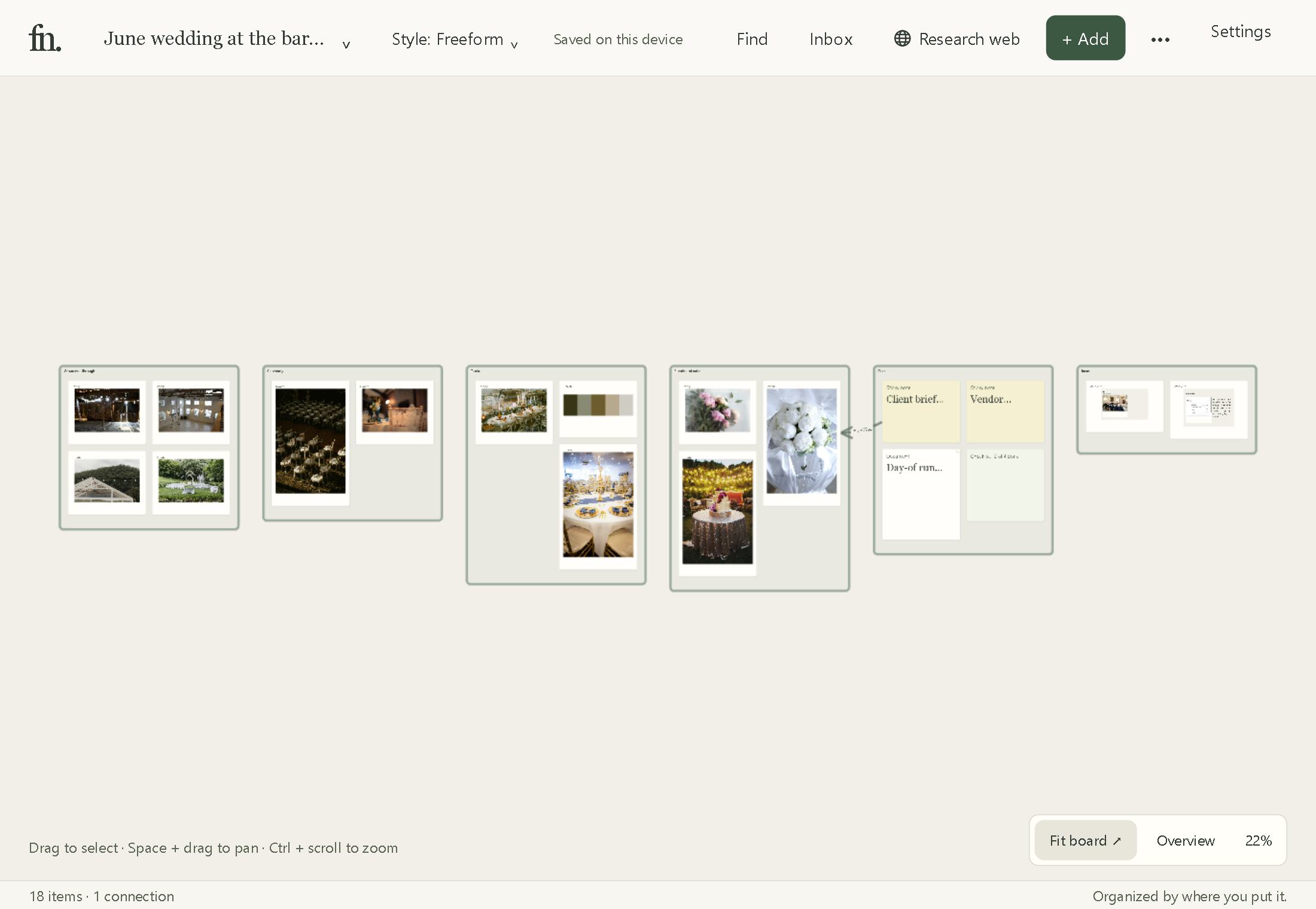
A wedding board in Field Notes
These are real app captures of the June wedding at the barn example board: its venue, ceremony, table and flower references, followed by a board-scoped search for peonies.