Search the text in your screenshots on Windows
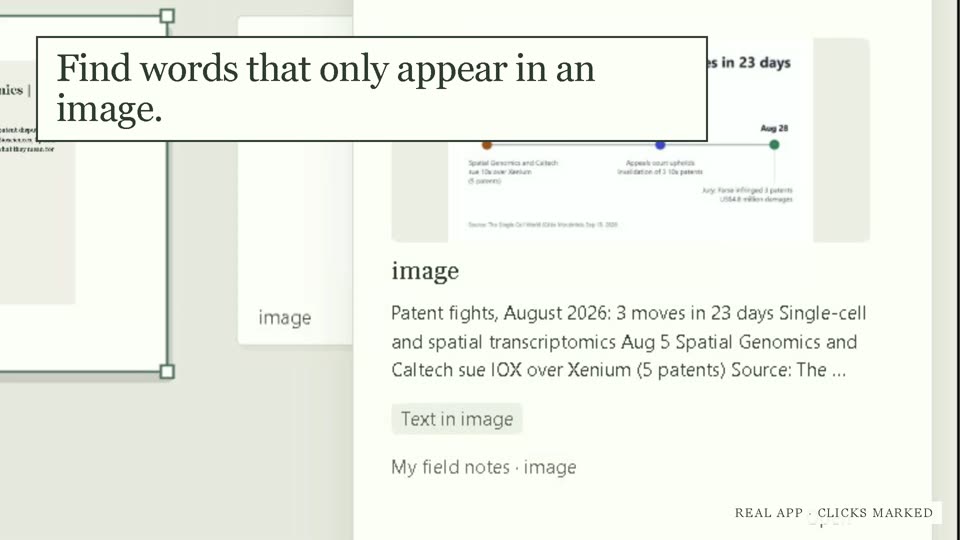
To copy the words from one screenshot, open it in Snipping Tool or Photos and select Scan text. To find a screenshot by words you remember, Windows has nothing built in except on Copilot+ PCs. Field Notes does it: drop screenshots on a board, type what you remember, and the screenshot comes up.
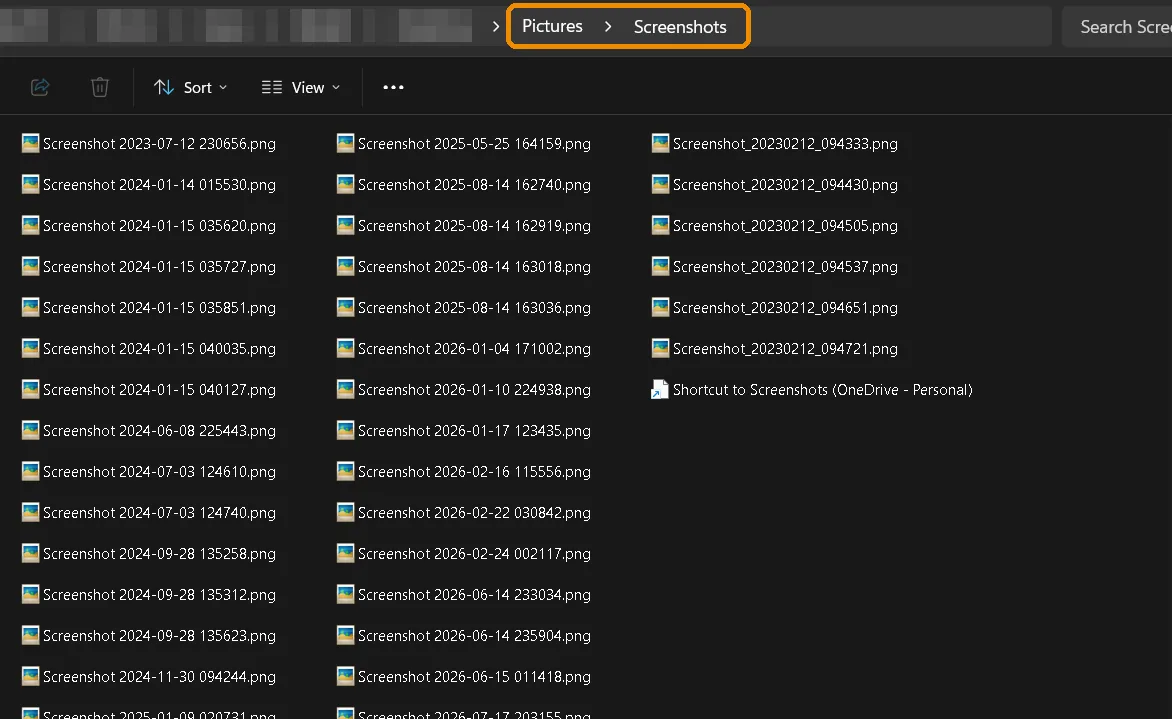
Where Windows saves your screenshots
Windows facts checked 16 November 2026.
Windows + Print Screen saves the whole screen to the Screenshots folder in Pictures.
Snipping Tool (Windows + Shift + S) saves each snip to the same Screenshots folder automatically. You can change the folder, or turn automatic saving off, in Snipping Tool's settings.
Print Screen on its own copies the screen to the clipboard. Nothing is saved until you paste it somewhere.
Copy the words from one screenshot
All three of these read one image at a time. They are good when you already know which screenshot you want.
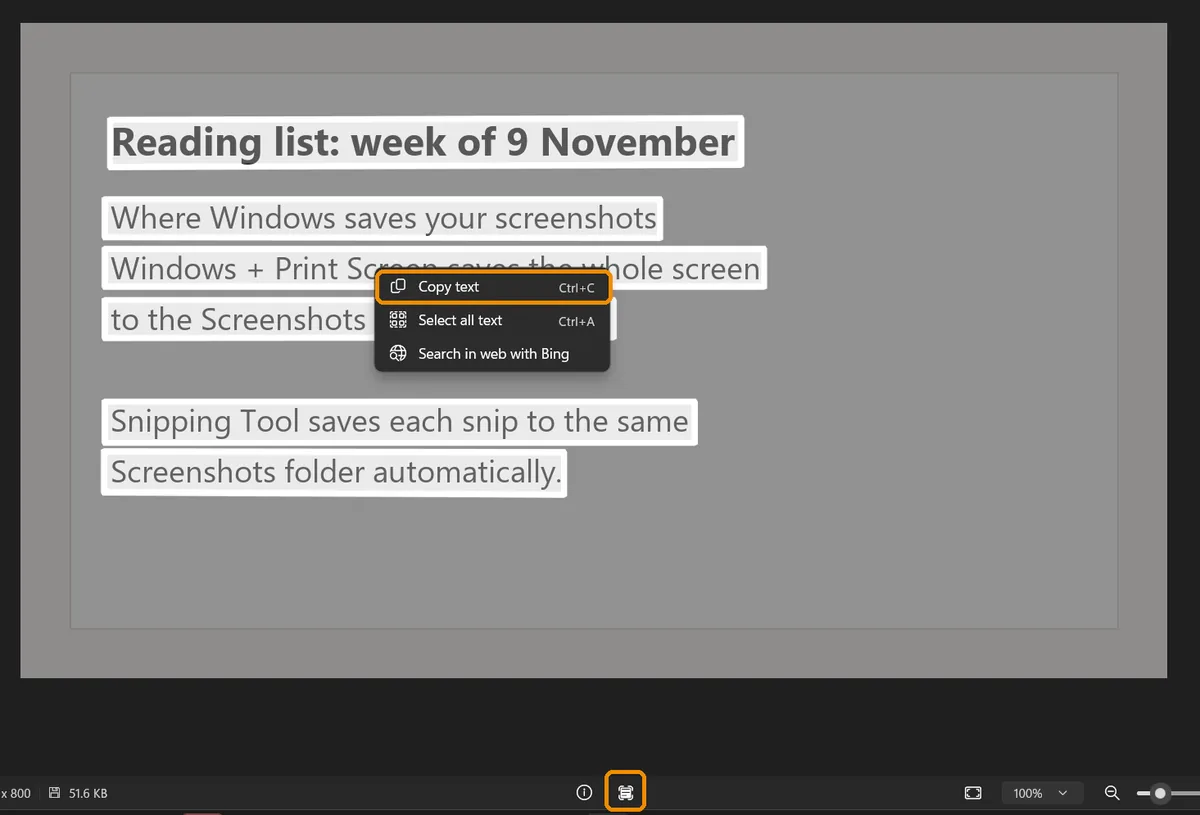
Snipping Tool
Open the screenshot in Snipping Tool, or take a new snip.
Select Scan text in the toolbar at the top, just right of the crop icon. Some versions call it Text actions.
Select Copy all text in the bar that appears below the toolbar, or select only the words you want and copy them.
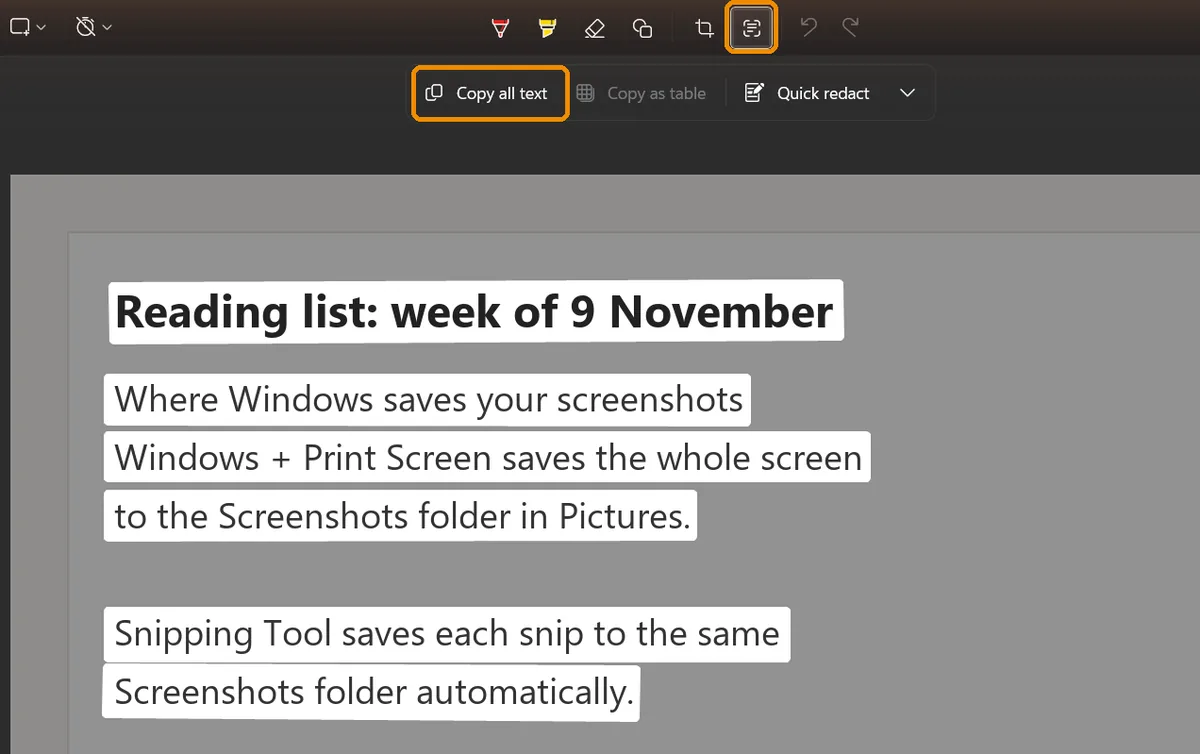
Photos
Open the screenshot in Photos.
Select Scan text in the bar at the bottom of the window, next to the round (i) icon.
Right-click the highlighted words and choose Copy text. To copy everything, choose Select all text first, or press Ctrl+A.
PowerToys Text Extractor
If you have Microsoft PowerToys installed, press Windows + Shift + T, drag a box over the words on your screen, and they go to your clipboard. It needs the Windows OCR language pack for your language; Microsoft's Text Extractor page lists the steps to install one.
Find a screenshot by the words in it
This is the harder part: you remember a sentence, a number or a name from a screenshot, but not where you saved it or what it is called.
On most PCs, File Explorer search matches a screenshot by its name and file details, not the words in the picture. A screenshot is called something like "Screenshot 2026-11-12 093411", so the words you remember don't help.
On Copilot+ PCs, improved Windows Search lets you search for photos and documents in your own words. Microsoft says it works only on Copilot+ PCs, for files in indexed folders on the PC, and in a limited set of languages. Microsoft's description does not say it reads the words inside a screenshot, so try it with a sentence you remember before you rely on it.
A few small apps read every screenshot in a folder and let you search the words. Field Notes is one way to do this, with your screenshots kept next to your notes and links.
How Field Notes finds a screenshot by its words
Drop your screenshots onto a board. Paste links and notes next to them if they belong together.
Type a few words you remember from the screenshot.
The screenshot comes up. You never tagged or renamed it.
Search reads the words inside each screenshot, and it finds notes and clipped pages by what they say too. The words in a screenshot are read by Windows' own text recognition, so your PC needs the Windows OCR language pack for your language.
Field Notes is a Windows app for PCs with an Intel or AMD processor. There is no account, and your boards stay on your PC. It is in an invite-only beta and free during the beta. If you write a newsletter, see how it works with the links and screenshots you save each week: Field Notes for newsletter writers.
Questions
Can Windows search the text in all my screenshots without another app?
Not on most PCs. Snipping Tool and Photos read one screenshot at a time. Copilot+ PCs have improved Windows Search for photos, but Microsoft does not say it reads the words inside a screenshot.
Where are my screenshots saved on Windows 11?
In the Screenshots folder inside Pictures, for both Windows + Print Screen and Snipping Tool. Print Screen on its own only copies to the clipboard.
Do I have to rename my screenshots to find them in Field Notes?
No. Field Notes reads the words inside each screenshot, so the file name doesn't matter, and you never tag anything.
Does Field Notes work on a Mac?
No. Field Notes is for Windows PCs only, and there is no Mac version yet.