How to plan a wedding on a Field Notes board
How-to · about 20 minutes to set up
This guide walks through the example board June wedding at the barn. Every picture below is a screenshot of the real app. Follow the same steps for a real client and you end up with one place that holds the venue photos, the vendor notes and the day-of plan.
1. Start one board per wedding
Name the board after the couple and the date, so it is easy to pick from the board list. Everything for that wedding goes on it: walkthrough photos, screenshots from vendors, web pages, notes and documents. The board is saved on your PC, and the header says so: Saved on this device.
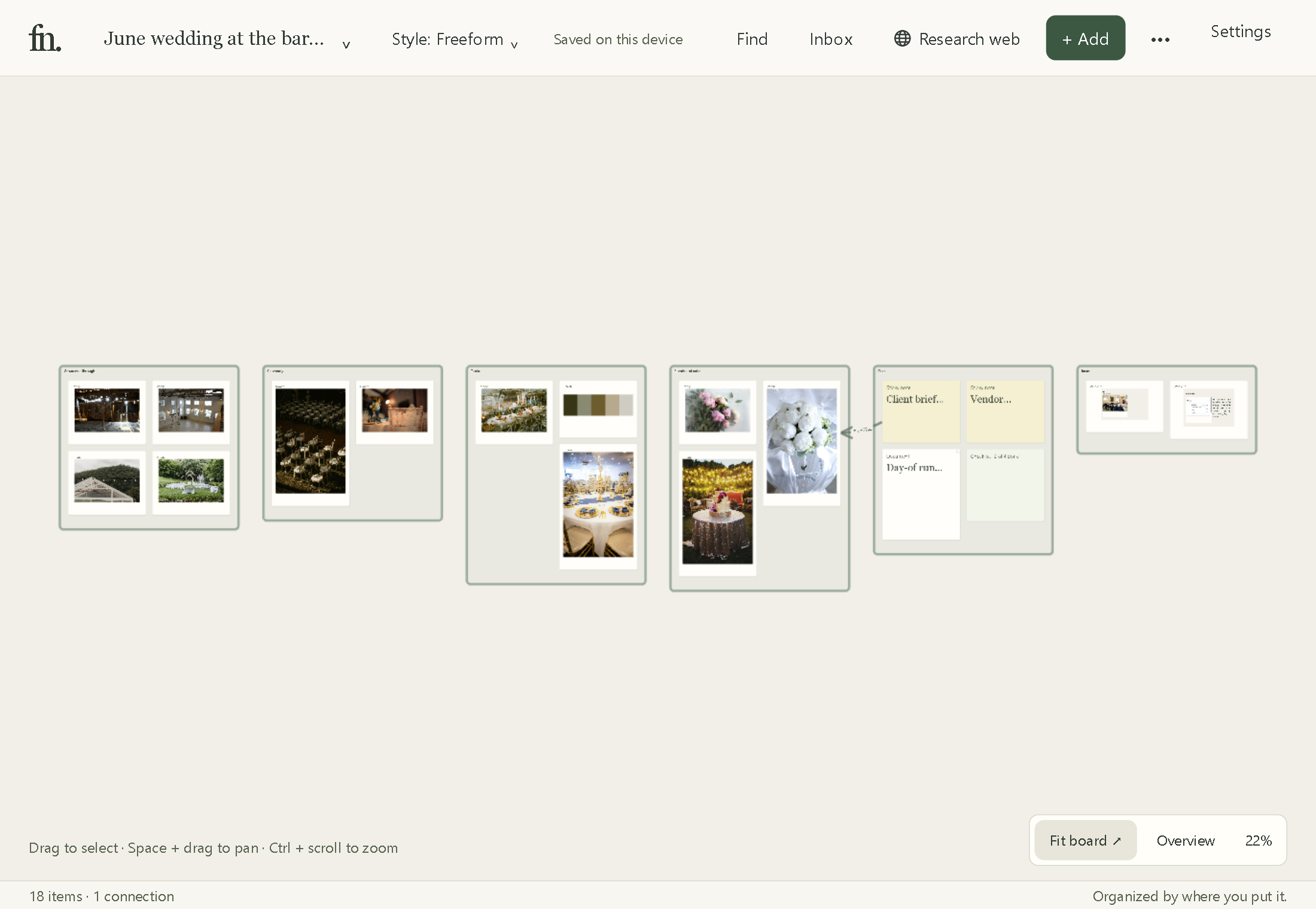
2. Give each part of the day a region
A region is a named area of the board. The example uses six: Venue walkthrough, Ceremony, Tables, Florals and cake, Plan and Ideas. Add one with + Region, then drag photos straight into it from your phone or camera folder. Use the Regions list to jump to any of them.
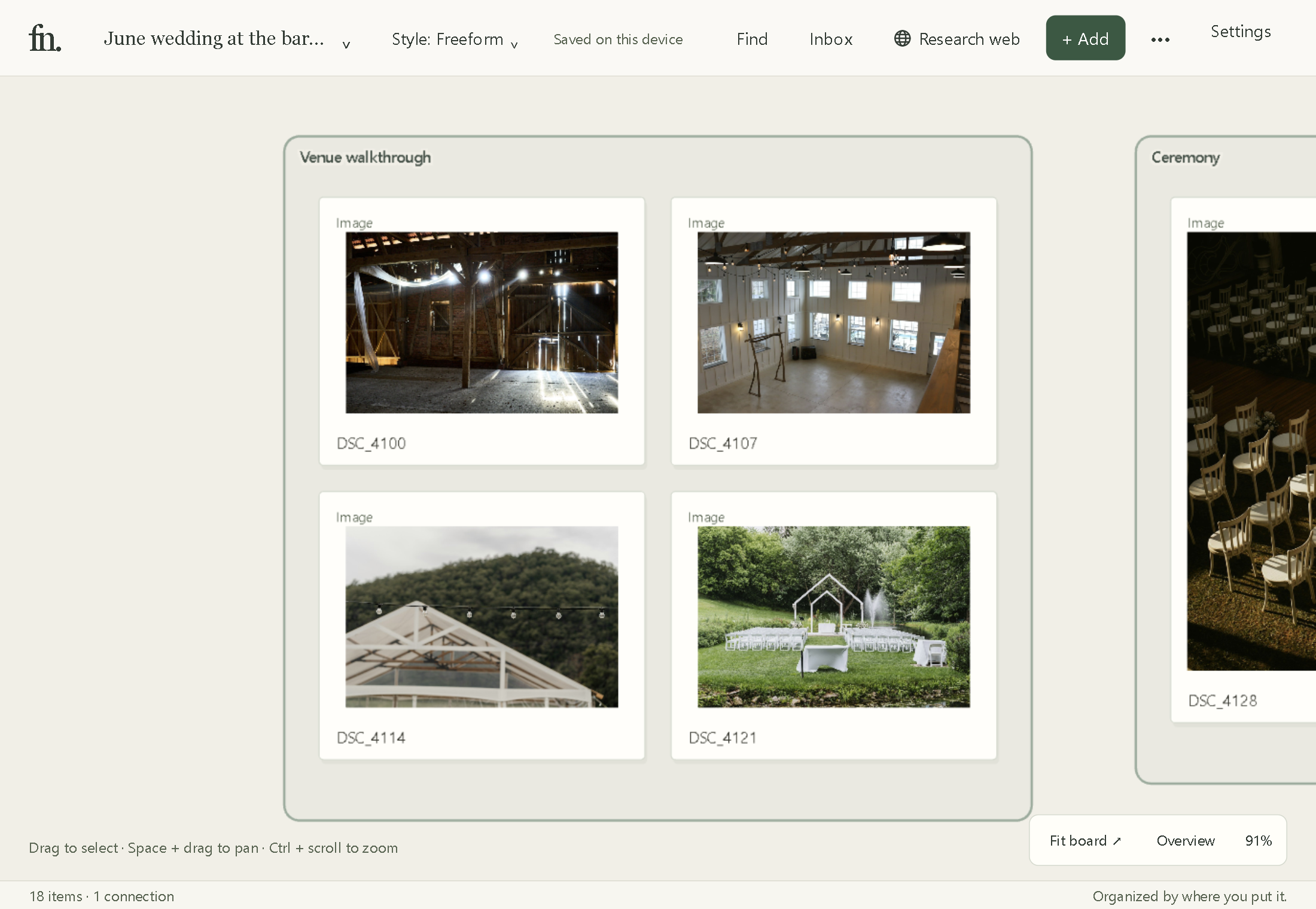
Keep one photo per idea rather than every frame from the walkthrough. A region with four good photos is easier to talk through with the couple than one with forty.
3. Pull colours from a photo
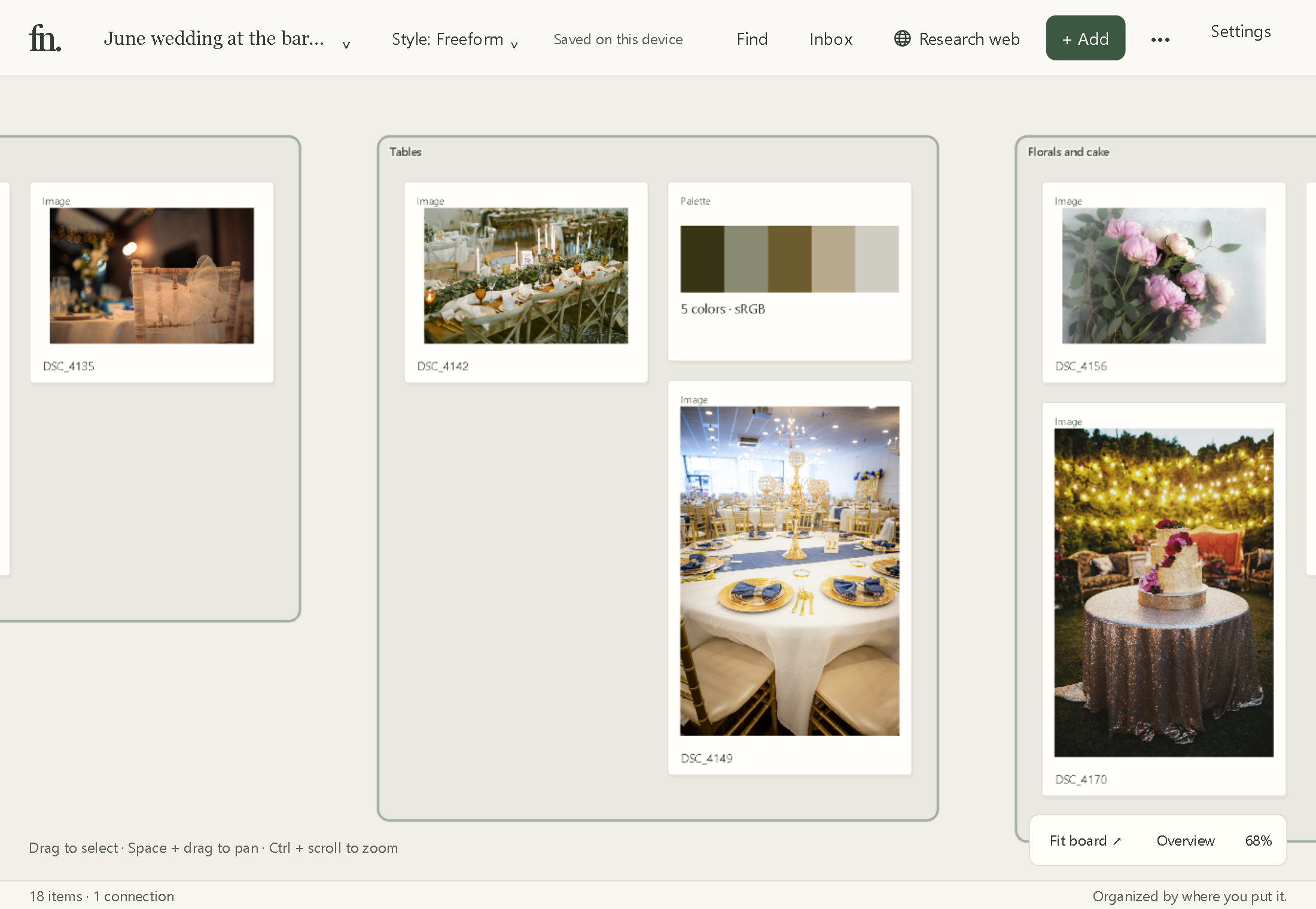
When the couple point at a photo and say “that feel”, turn it into colours you can send to the florist and the stationer. Select the photo, open Inspect and choose Palette. The palette sits on the board next to the photo it came from.
4. Keep the brief and the run sheet next to the pictures
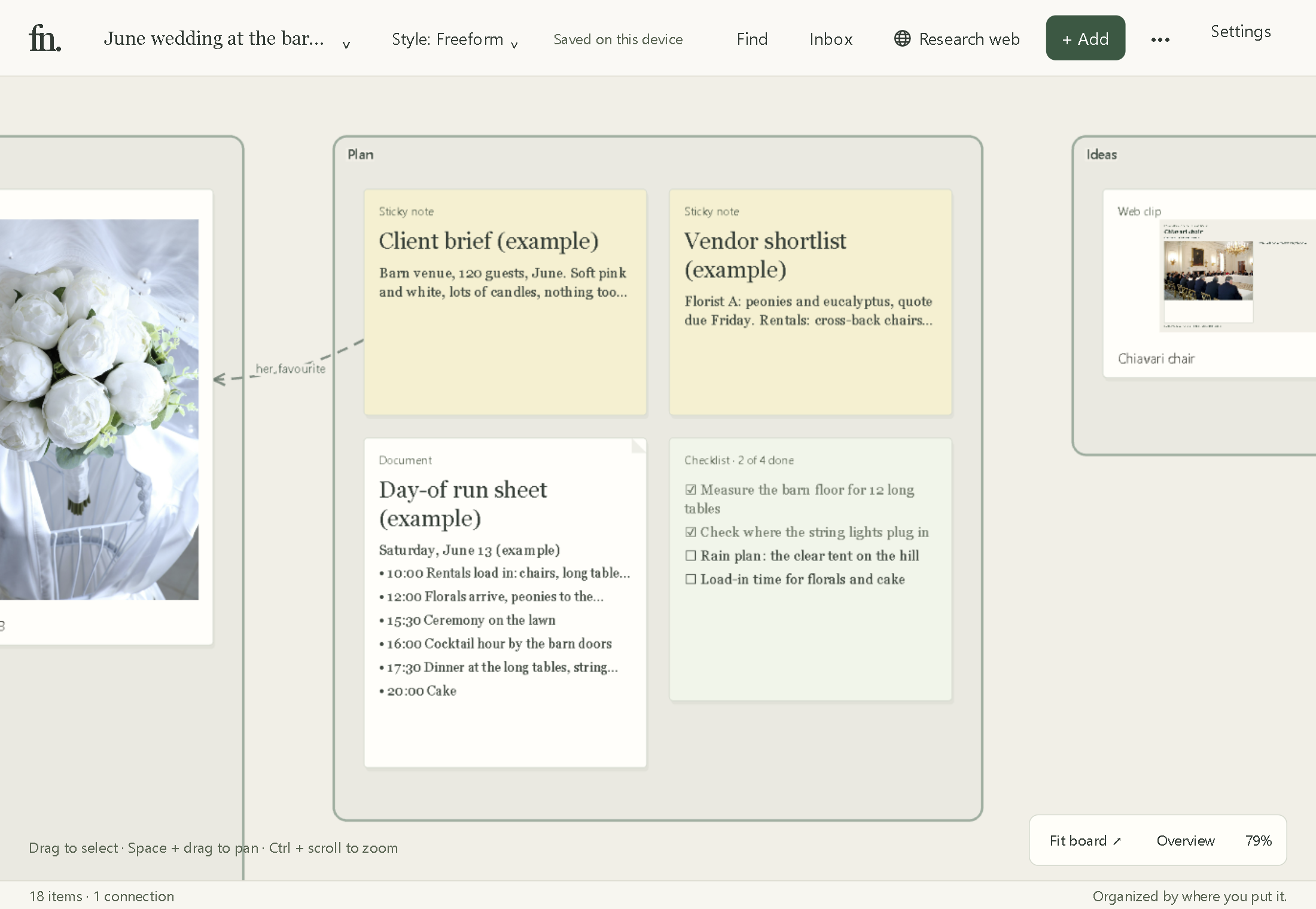
The Plan region holds the writing that goes with the photos:
Client brief: a sticky note with the venue, guest count, colours and the things she loved.
Vendor shortlist: who is quoting what, and when the quotes are due.
Day-of run sheet: a document with the timeline, from rentals arriving at 10:00 to the cake at 20:00.
Checklist: the jobs left before the day, ticked off as you go.
Connect a note to the photo it talks about. In the example, the brief is connected to the white peony bouquet with the label “her favourite”. Select both, press Alt+C, then open the connection to add a label.
5. Clip references from the web
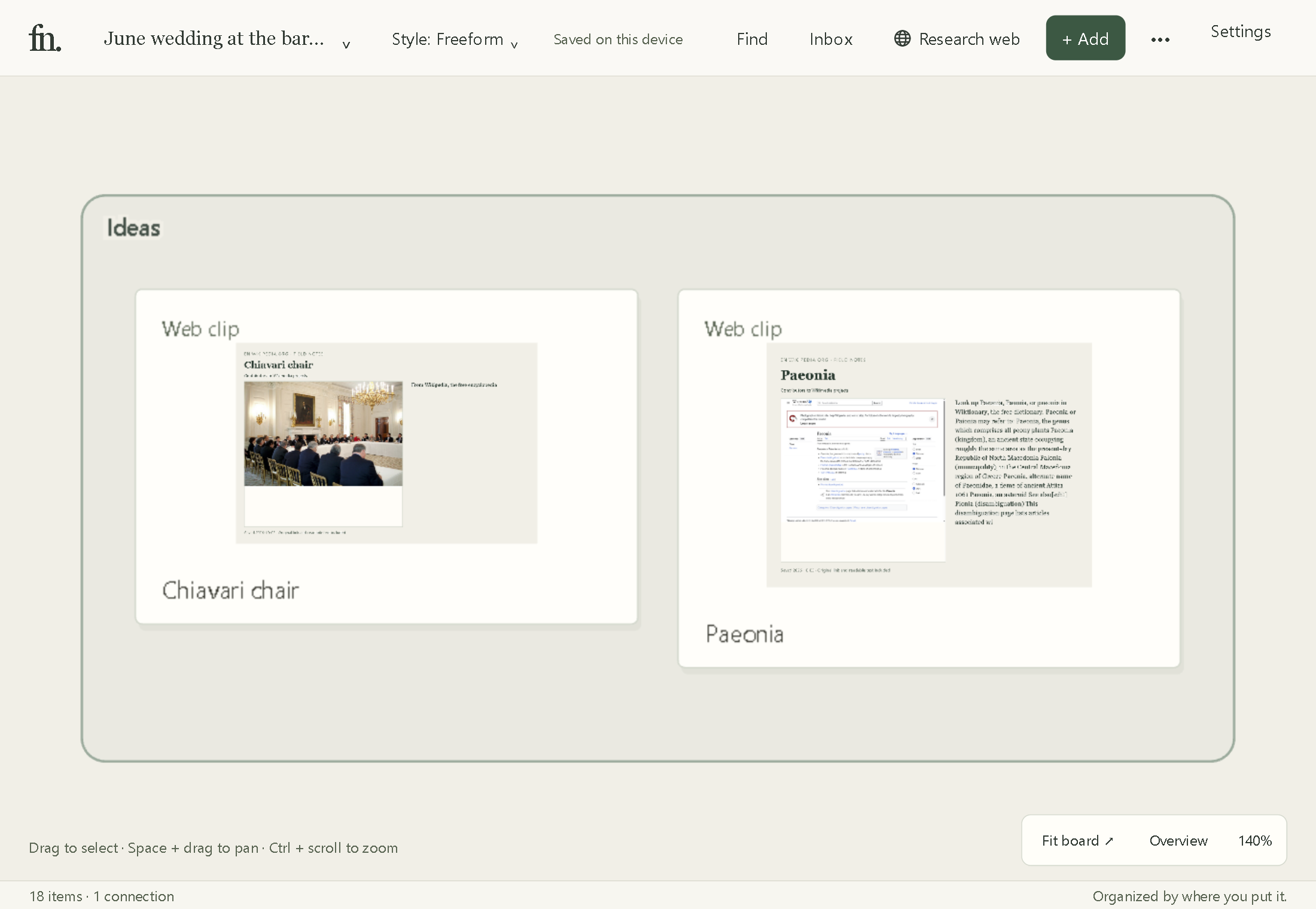
Rental catalogues, florist pages and articles can go on the board as web clips. A clip keeps a picture of the page and the link back to it, so you can show the couple the exact chair you meant. Use Research web, or the Field Notes browser extension.
6. Find anything by describing it
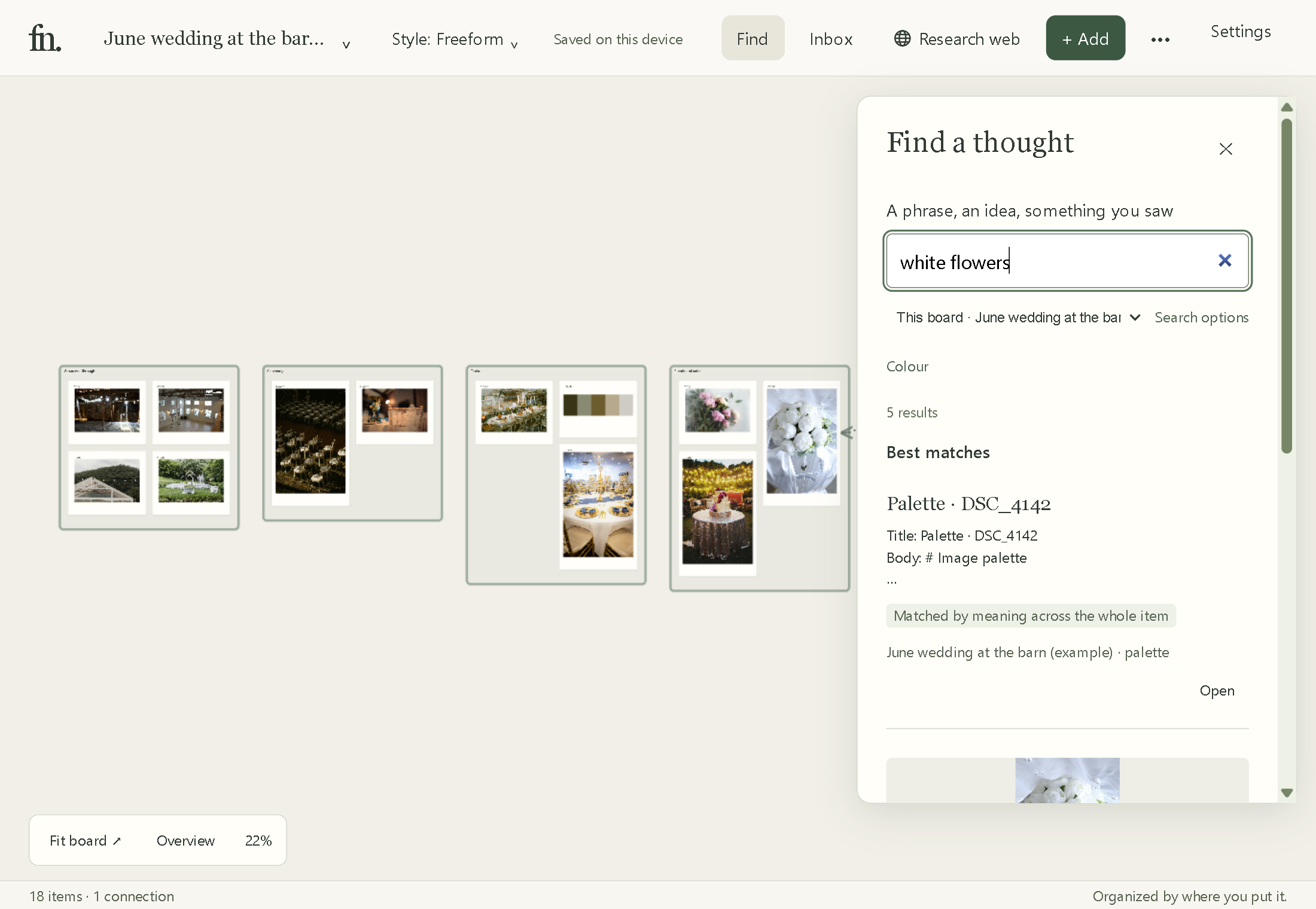
Months later you will not remember which folder a photo is in. Open Find and type what you remember. Field Notes reads what is in each photo and the words in each note, on your PC, so there is nothing to tag first.
In the example, a search for “white flowers” on this board brings up the palette, the white peony bouquet, the client brief that mentions it and the pink peonies.
Next steps
Make a board for your next wedding and add the six regions.
Drag in the walkthrough photos the day you get back from the venue.
Write the brief while the first meeting is fresh, and connect it to the photos she pointed at.
Want a head start? Get the free wedding day binder on the planners page. Comparing tools first? Read Milanote alternative for wedding planners.